Show your accounts. Keep your password.
Open your cabinet to a manager, a mentor or an investor — without handing over your password. You choose which accounts they see, what they may do, and what stays hidden.
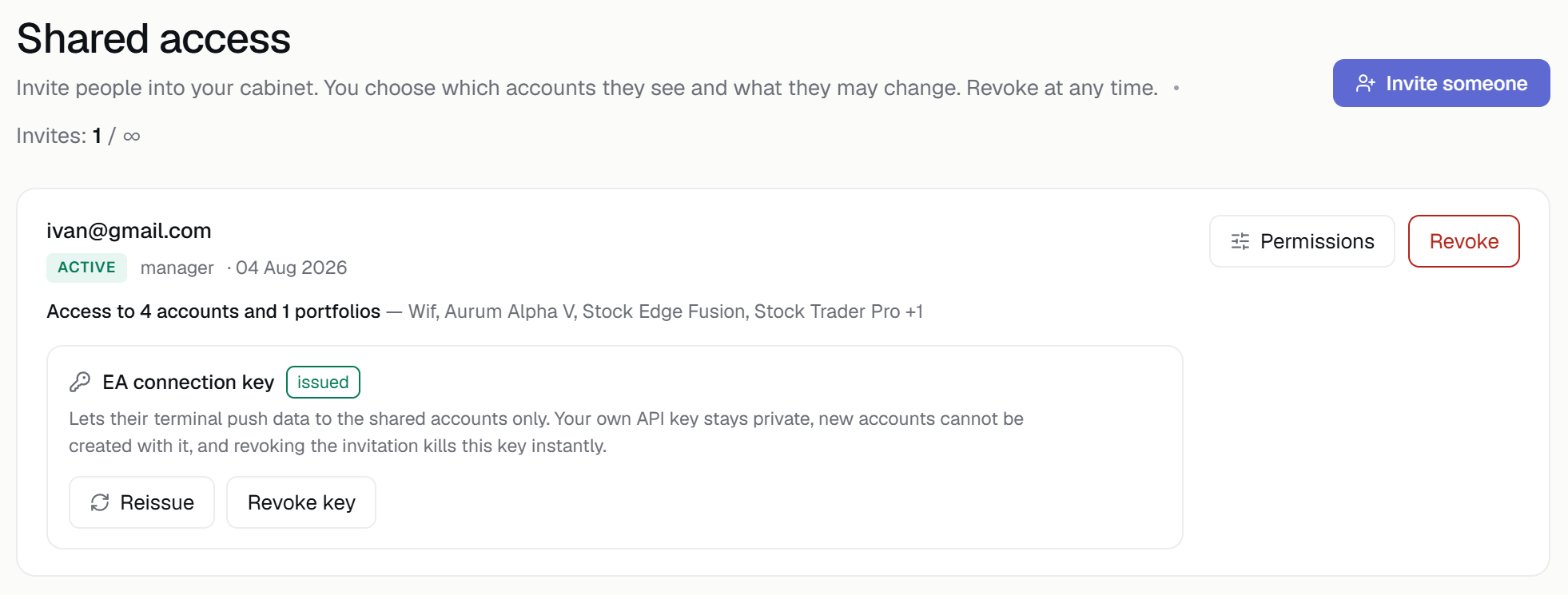
Show your accounts. Keep control.
An invitation, not a password
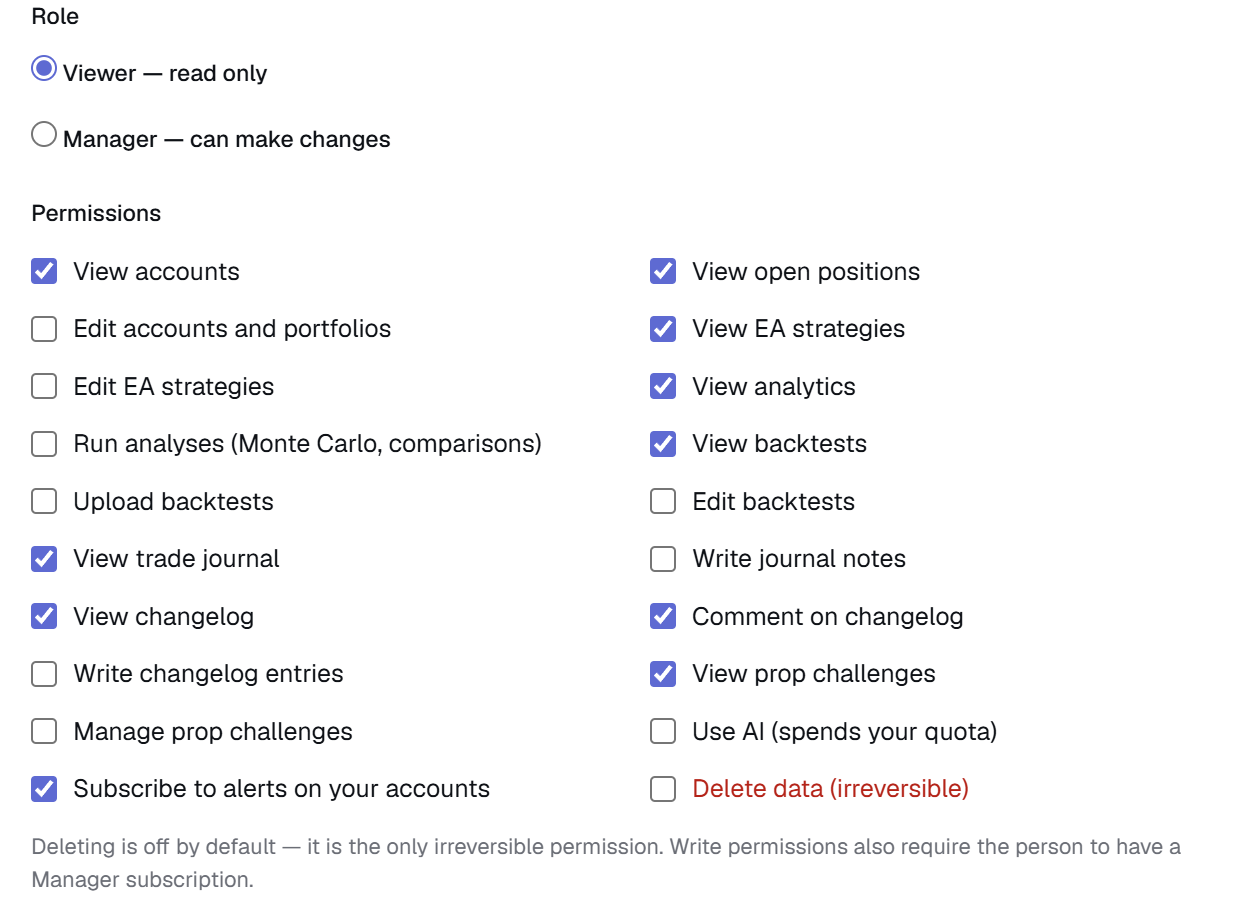
Invite by email and the person receives a link. Start from a role — Observer or Manager — then fine-tune two dozen permissions by hand. Access covers the accounts and portfolios you pick, not the whole cabinet.
- Email invitation — no shared logins, no second account
- Observer or Manager, then permissions one by one
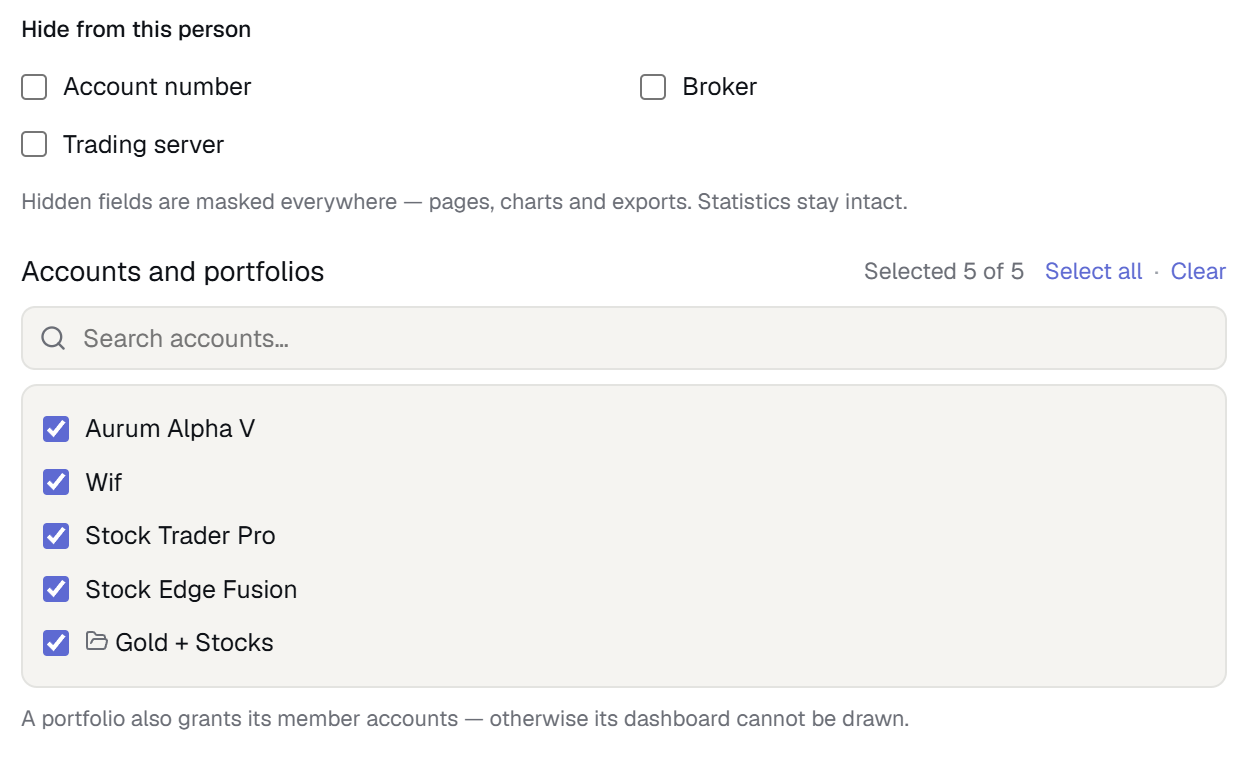
- Scoped to the accounts and portfolios you choose
Full statistics, hidden identity
Hide the account number, the broker and the trading server with three separate switches. The performance data stays complete — only the identity of the account is masked.
- Mask the account number, broker and server
- Equity, drawdown and trade history stay intact
- Deletion is off by default, even for a Manager
Their own login, their own Telegram
The person you invite signs in under their own account and switches between cabinets from the menu — a bar at the top always shows whose cabinet they are in. They connect their own Telegram and pick which of your accounts they want alerts for; your notification settings are untouched.
- Their own account and session — no shared passwords
- Their own alerts on the accounts they were given
- One-click switch between their cabinet and yours
Every client account on one page
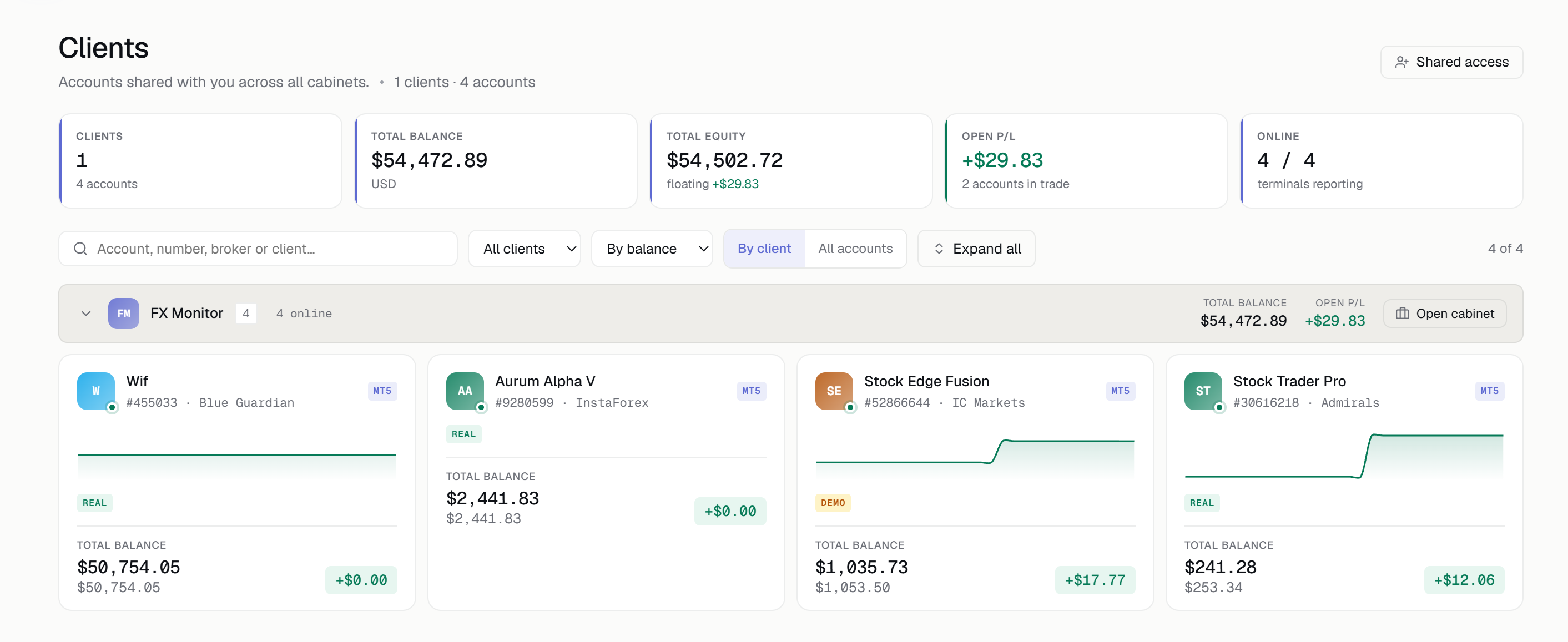
Working with several clients? Every account shared with you lands on a single page, grouped by client — combined equity, balance charts, who is online right now, search, sorting and a filter by client. Open any account in one click.
- Accounts grouped by client, with combined equity
- Search, sort and filter across every client
- New invitations arrive here and are accepted here
Some things stay yours
Even a Manager with every permission enabled never receives any of this.
Billing and payment details
Invoices, cards and the subscription are visible to the owner only.
Your cabinet API key
The main key is never exposed. An EA connection key can be issued separately and only works on the shared accounts.
Profile and privacy settings
Password, email, language, timezone — and what you publish publicly — stay with you.
Invitations and support tickets
Nobody can invite third parties on your behalf, and your support conversations stay private.
Deleting data is a permission of its own and is switched off by default, even for a Manager. You turn it on deliberately, or not at all.
Built to be taken back
A named, single-use link
The invitation only works for the email address it was issued to — a forwarded message opens nothing. It expires after 14 days.
Instant revocation
Revoking takes effect from the very next action, not on a schedule. Permissions are checked on every action, not once at sign-in.
A log that records refusals too
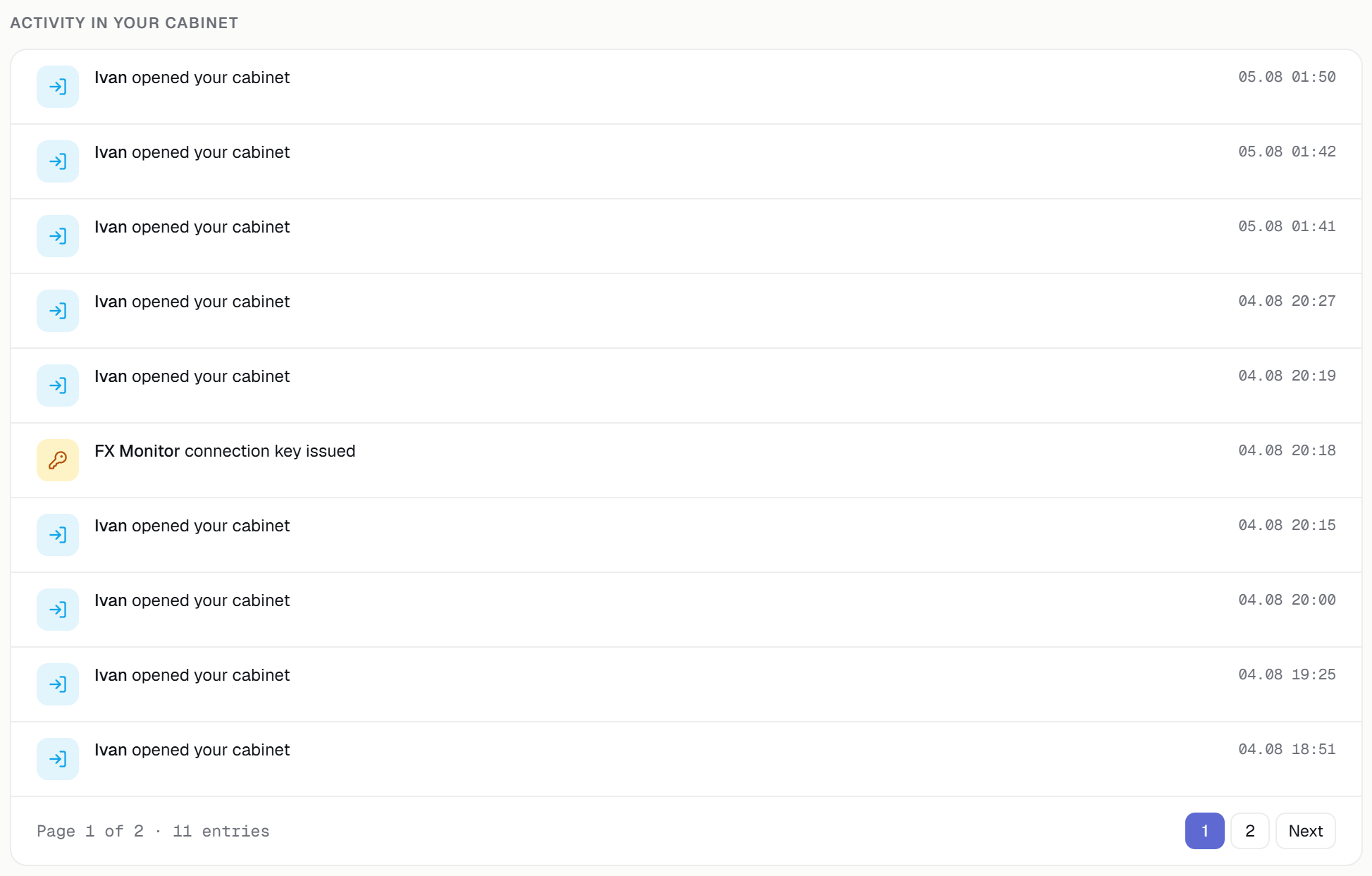
You see who changed what and when — and where someone tried to go without the rights to be there.
This is analytics, not copy trading
A manager sees and analyses your accounts. They do not place or close trades through FX Monitor, and no money moves through us.
FX Monitor provides access to trading-account analytics. The Service does not execute trades, does not manage funds, does not rate or endorse managers, and nothing here constitutes investment advice.
Two features — and looking is free
Shared access — for the owner
The right to open your cabinet to other people. Your plan sets how many invitations can be active at once.
Manager role — for the invitee
The right to change things inside someone else’s cabinet, not only to look at them.
Viewing someone else’s cabinet is free on every plan, including Free. The owner pays to open their cabinet; a professional pays to work inside other people’s.
Questions people ask
Will they see my other accounts?
Can they delete something?
Will they see my payment details?
Does the person I invite need a paid plan?
What happens if my subscription lapses?
Can a manager trade on my account?
Show your accounts. Keep control.
Invite a manager, a mentor or an investor in a couple of minutes — and take the access back whenever you want.
Shared access grants visibility into trading analytics only. FX Monitor does not execute trades, does not manage funds and is not an investment recommendation.