Test. Analyze. Optimize.
FX Monitor Studio - desktop powerhouse for MT4 & MT5 strategy testing — run backtests, dissect every trade, build portfolios, and sync everything with your FX Monitor account.
 Download for Windows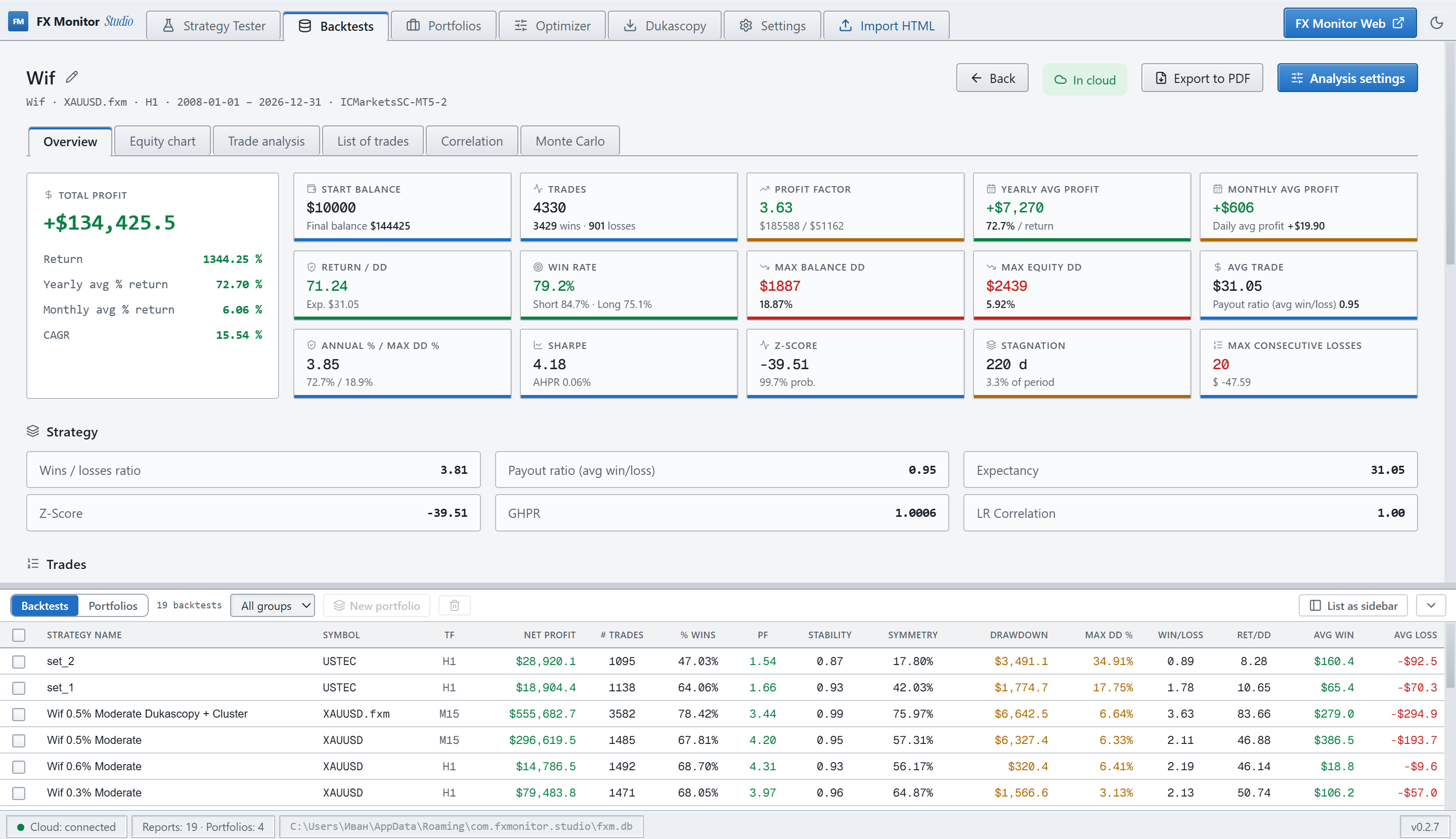
Get Studio.
From raw report to decision.
Analytics and an MT5 tester launcher, fused into one native desktop tool.
Built-in MT5 tester launcher
Configure symbol, period, model and inputs, launch the Strategy Tester and pull the report back automatically — no manual export.
Dukascopy History Loader
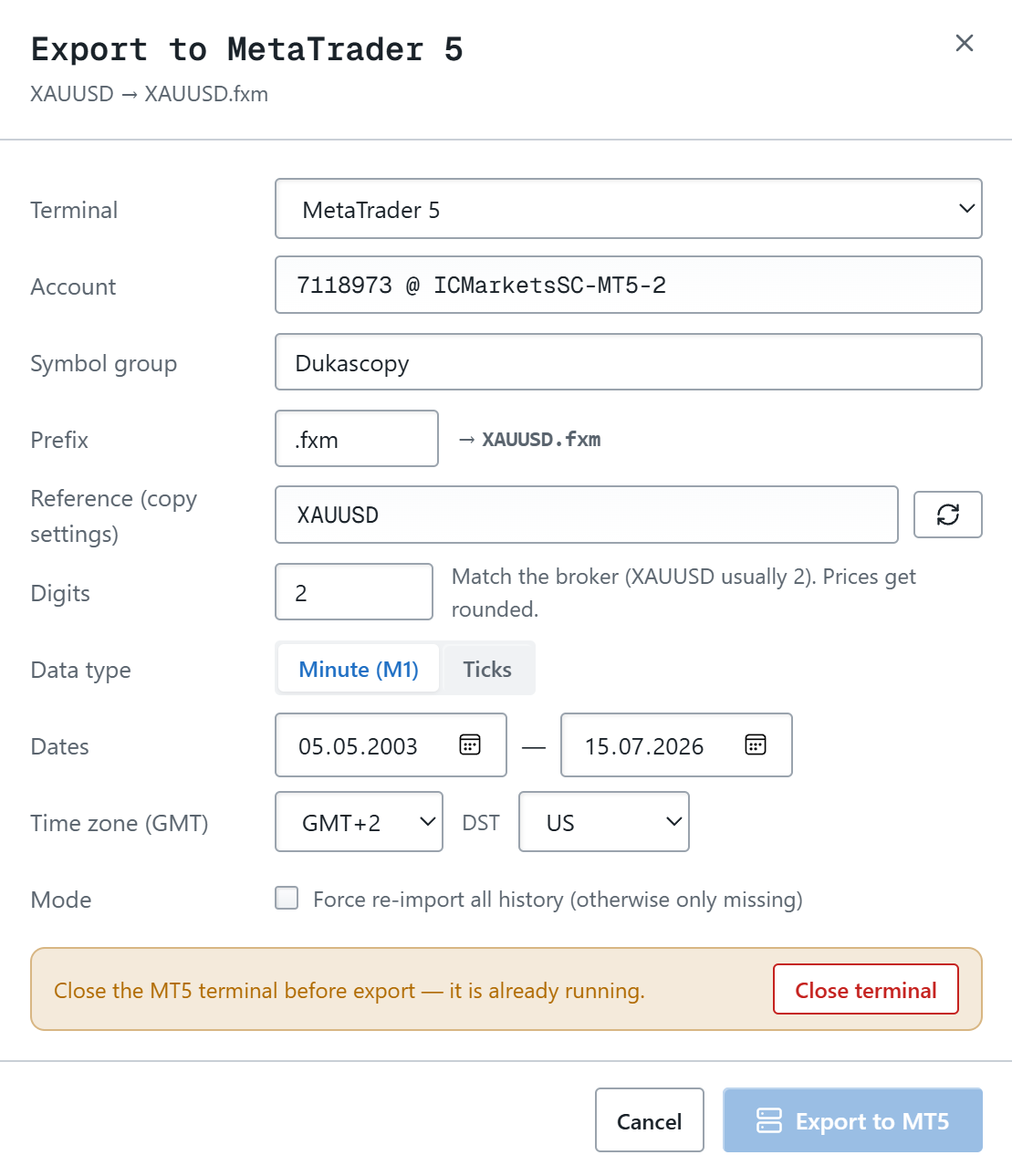
Download years of Dukascopy history and turn it into ready-to-use MT5 custom symbols — right from the app, no manual file wrangling.
Claude Code Integration
Studio plugs into Claude Code — build portfolios and analyze backtests with AI straight from the Claude Code CLI.
Deep analytics
Equity & drawdown curves, profit factor, expectancy, Z-score, Sharpe, stagnation, win/loss streaks — the full quant picture.
Multi-backtest portfolios
Combine strategies with weights, see aggregated equity, correlation and risk — as if they traded on one account.
Find the best mix.
Search subsets and weights against an objective — max return, min drawdown, min correlation — and split reports by symbol or comment.
Monte Carlo
Stress-test robustness: probability of ruin, drawdown distribution, target-balance odds across thousands of randomized runs.
Strategy vs. live divergence
M1 equity reconstruction and trade-level analysis reveal how a backtest would behave against real execution.
FX Monitor Cloud sync
Push backtests and portfolios to your account, pull them on any machine. Your research follows you everywhere.
Years of real history, built into your backtests
The quality of a backtest depends directly on the depth and quality of the history behind it. Brokers usually hand you a short, polished slice that isn't enough for an honest test. Dukascopy history for most symbols goes back to May 2003 — so you can see how a strategy behaves over the long run and through crisis periods, not just the narrow window your broker shows.
- Full Dukascopy catalog — Forex, Metals, Indices, Commodities, Crypto and Stocks
- M1 bars or real ticks over any date range, back to 2003
- Incremental downloading — fetches only what's missing, never the whole dataset again
- Integrity check — detects corrupted files and re-downloads them automatically
- Export to CSV or straight into MT5 as a backtest-ready custom symbol — high modeling quality
Your research, everywhere.
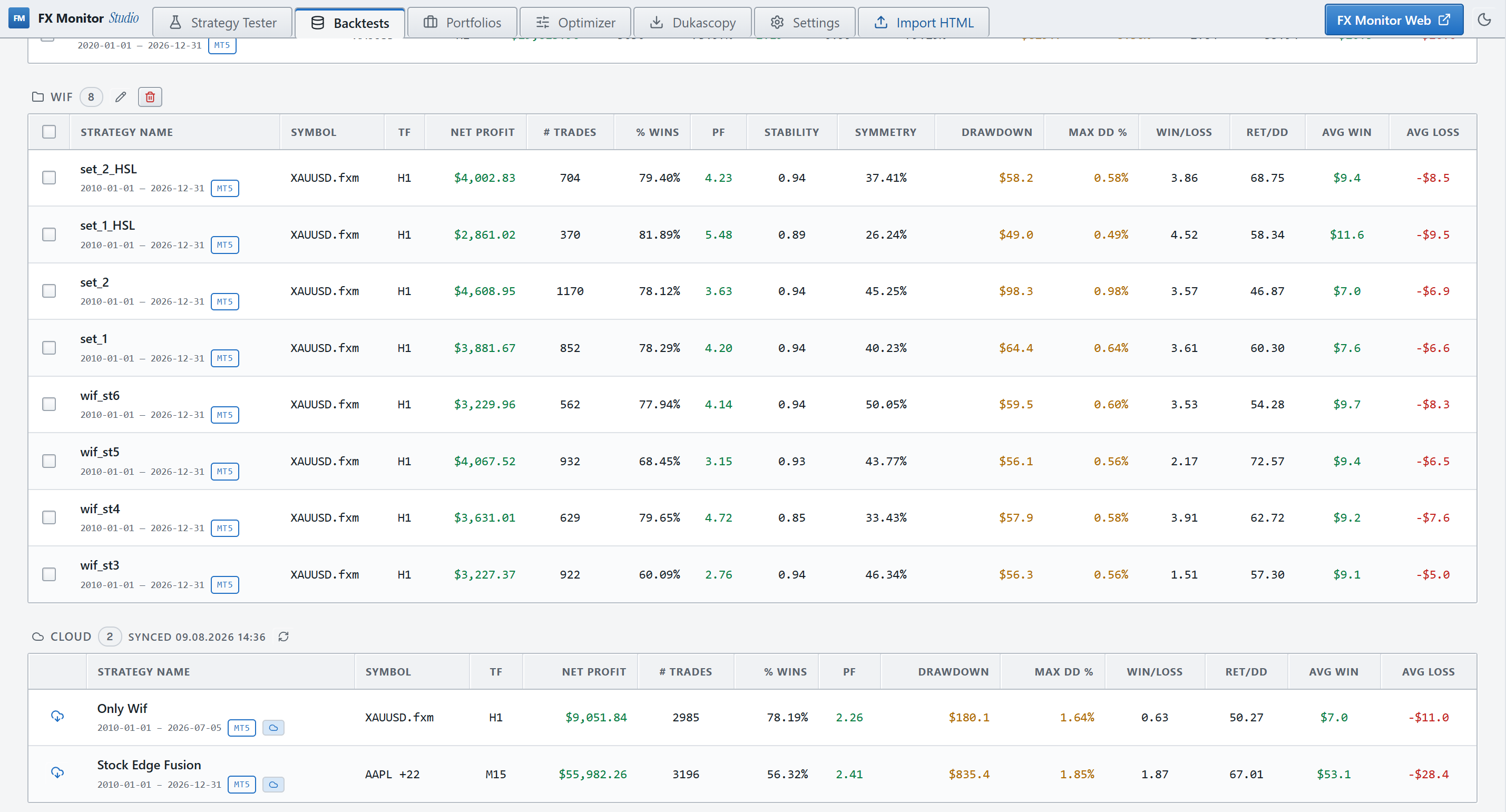
Connect Studio to your FX Monitor account with one API key. Upload a backtest from your office machine, open it on your laptop — analyses, portfolios and all.
- One-click upload of backtests and portfolios
- Import the whole library on a fresh install
- Component portfolios stay numerically exact in the cloud
- Plan-aware limits, shown live in Settings
Find the best mix.
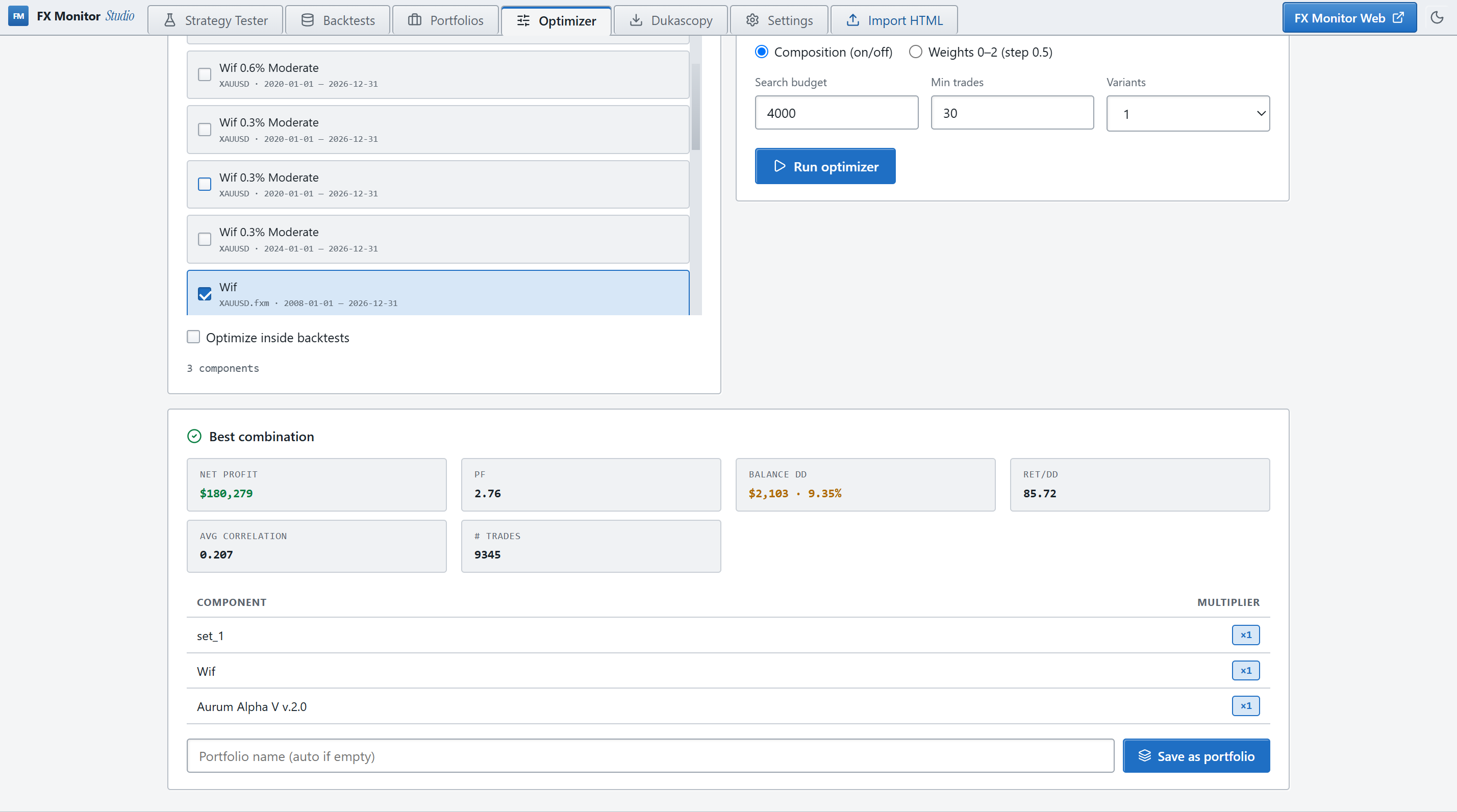
Feed in your strategies and let the optimizer search combinations and weights toward the objective you care about — then save the result as a portfolio in one click.
- Objectives: max profit, min DD, max PF, max Return/DD, min correlation
- Split a report by symbol or trade comment into components
- Subset & grid weight search with live-best preview
- Out-of-sample deep split for honest validation
Get Studio.
Free with your FX Monitor account. Download, paste your API key, and you're in.